
Walk Through Metal Detectors
How to Maintain Your Security Hardware
Mar
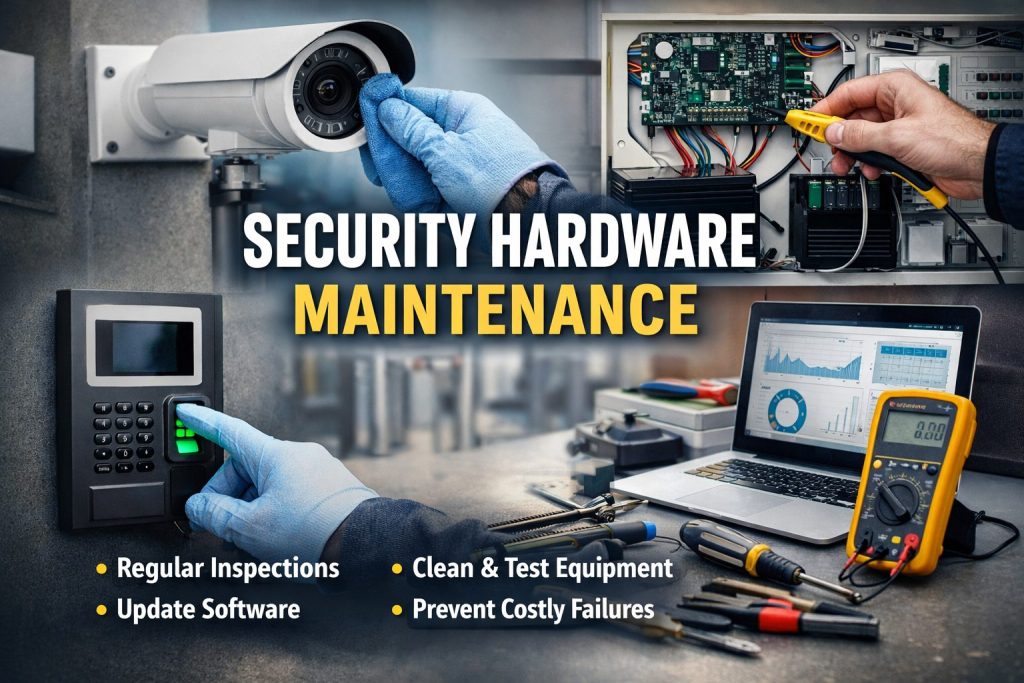
Keeping security systems in good condition is just as important as installing them. Without regular care, even the most reliable equipment can fail when it is needed most. A clear plan for security hardware maintenance helps ensure cameras, detectors, alarms, and access systems continue to work properly over time.
This guide explains why maintenance matters, how often checks should be done, and the practical steps you can follow to keep your equipment in top shape. It also covers common issues, simple fixes, and how to build a routine that reduces downtime and unexpected costs.
Why Regular Maintenance Is Important
Security systems often run continuously, sometimes for years without interruption. Over time, dust, weather, and normal wear can affect performance. Small problems, if ignored, can lead to equipment failure or false alarms.
Regular inspections help you:
- Detect faults early
- Maintain accurate readings
- Extend equipment lifespan
- Avoid sudden repair costs
- Ensure reliable protection
Studies from facility management groups show that preventive care can reduce unexpected system failures by more than 30 percent. This makes routine upkeep both a safety and cost-saving measure.
Types of Security Hardware That Need Maintenance
Most facilities use a combination of devices, each with its own care needs. Understanding these differences helps create an effective maintenance plan.
- Surveillance Cameras: Cameras require clean lenses, stable mounts, and updated firmware. Outdoor units also need weather checks to prevent moisture damage.
- Alarm Systems: Alarm panels, sensors, and sirens must be tested regularly to ensure they trigger correctly.
- Access Control Systems: Card readers, biometric scanners, and electronic locks need periodic inspection to confirm smooth operation.
- Detection Equipment: Walkthrough detectors and sensors rely on accuracy. Routine detector calibration ensures they continue to detect threats correctly.
Each component plays a role in overall safety, so maintaining them together keeps the entire system reliable.
How Often Should Maintenance Be Done?
The right schedule depends on the environment and equipment usage. However, a general guideline works for most setups:
- Daily or weekly: Visual checks for damage or obstructions
- Monthly: Functional testing and cleaning
- Quarterly: Software updates and performance review
- Annually: Full inspection and professional servicing
Busy locations such as airports, factories, and event venues may require more frequent checks due to higher usage levels.
Step-by-Step Maintenance Checklist
1. Inspect Physical Condition
Look for loose cables, cracks, corrosion, or signs of tampering. Make sure mounts and brackets are secure.
2. Clean Equipment
Dust and debris can block sensors or reduce image clarity. Use a soft cloth and approved cleaning solutions to avoid damage.
3. Test System Functions
Trigger alarms, check camera feeds, and verify access controls. Confirm alerts are received by monitoring teams.
4. Review Power Supply
Check batteries, backup power units, and wiring connections. Replace batteries before they fully drain.
5. Update Software
Firmware and software updates improve performance and fix known issues. Keeping systems current also strengthens security.
Following these steps regularly forms the foundation of effective security hardware maintenance.
The Role of Calibration in System Accuracy
Some equipment relies heavily on precise readings. Without periodic adjustments, accuracy can drift over time.
For example, screening devices and sensors should undergo detector calibration according to manufacturer guidelines. This ensures readings remain consistent and reduces false alarms. Calibration is especially important in high-traffic environments where devices operate continuously.
Keeping records of calibration dates also helps with compliance and performance tracking.
Common Problems and How to Fix Them
- False Alarms: Often caused by sensor misalignment, environmental changes, or low batteries. Check positioning and power levels first.
- Poor Video Quality: Dirty lenses, lighting issues, or outdated firmware can affect image clarity. Cleaning and updates usually resolve the problem.
- Connectivity Issues: Network interruptions may disrupt monitoring. Inspect cables, routers, and signal strength.
- System Not Responding: Restarting the device or checking power connections often fixes minor faults. If problems persist, professional support may be needed.
Basic troubleshooting skills allow staff to resolve simple issues quickly without waiting for technicians.
Preventive Maintenance vs Reactive Repairs
Preventive maintenance focuses on regular checks and servicing, while reactive repairs occur after a failure. Preventive care is usually more cost-effective because it avoids major breakdowns.
Benefits of preventive maintenance include:
- Lower repair costs
- Longer equipment life
- Reduced downtime
- More predictable budgeting
Organizations that invest in planned care typically experience fewer disruptions and more consistent system performance.
Creating a Maintenance Plan for Your Facility
Every facility has different needs, so a tailored plan works best. Start by listing all equipment, locations, and service intervals. Assign responsibilities to staff or service providers and document each inspection.
Your plan should include:
- Equipment inventory
- Maintenance schedule
- Inspection checklist
- Service provider contacts
- Record-keeping system
Documenting each step ensures accountability and helps track performance over time. A structured plan makes security hardware maintenance easier to manage, especially for larger facilities.
Environmental Factors That Affect Hardware
Conditions such as heat, humidity, dust, and vibration can shorten equipment life. Outdoor devices are particularly exposed to weather changes.
To reduce environmental impact:
- Use protective enclosures
- Install equipment in shaded or sheltered areas
- Ensure proper ventilation
- Conduct more frequent inspections in harsh environments
Understanding these factors helps you adjust maintenance schedules based on real conditions rather than fixed timelines.
When to Upgrade or Replace Equipment
Even with proper care, hardware eventually reaches the end of its useful life. Signs that replacement may be needed include:
- Frequent malfunctions
- Outdated software support
- Reduced accuracy or performance
- Higher repair costs than replacement
Upgrading to newer systems can improve reliability and efficiency, especially as technology evolves. Planning replacements ahead of time prevents sudden failures.
Training Staff for Effective Maintenance
Well-trained staff is essential for consistent upkeep. Training should cover:
- Basic inspection routines
- Safe cleaning methods
- System testing procedures
- Reporting faults
Providing clear instructions helps staff carry out routine tasks confidently and identify issues early. Training also supports effective troubleshooting, reducing reliance on external support for minor problems.
Keeping Maintenance Records
Documentation is often overlooked but plays a key role in system reliability. Maintenance logs help track performance trends and confirm compliance with safety standards.
Records should include:
- Inspection dates
- Issues found
- Repairs performed
- Calibration details
- Replacement parts used
Good record-keeping supports audits and helps identify recurring issues that may require deeper investigation.
Cost Benefits of Regular Maintenance
While maintenance requires time and resources, it often reduces overall costs. Preventing a major system failure can save far more than the cost of routine checks.
Cost benefits include:
- Lower emergency repair expenses
- Fewer disruptions to operations
- Improved equipment lifespan
- Better planning for future upgrades
Organizations that prioritize regular care often see improved return on their security investments.
Future Trends in Hardware Maintenance
Technology is making maintenance more efficient. Many modern systems include self-diagnostics that alert teams to potential issues before failures occur.
Remote monitoring tools allow technicians to check system health without being on site, saving time and improving response speed. Predictive maintenance, which uses performance data to forecast problems, is also becoming more common.
These advances are changing how security hardware maintenance is managed, making it more proactive and data-driven.
Conclusion
Security equipment plays a vital role in protecting people and property, but it can only perform well when properly maintained. Regular inspections, cleaning, testing, and calibration keep systems reliable and reduce the risk of unexpected failures.
By creating a clear plan, training staff, and addressing issues early, organizations can extend equipment life and ensure consistent performance. A practical approach to security hardware maintenance not only protects your investment but also helps maintain a safe and secure environment.
FAQs
1. How often should security hardware be serviced?
Most systems benefit from monthly checks and annual professional servicing. High-traffic environments may require more frequent inspections.
2. What is the most important maintenance task?
Regular testing is crucial because it confirms that alarms, sensors, and cameras function correctly when needed.
3. Can maintenance be done without professional help?
Basic tasks like cleaning, visual checks, and simple testing can be handled internally. Complex repairs and calibration should be done by trained technicians.
4. What causes security equipment to fail most often?
Common causes include lack of maintenance, power issues, environmental exposure, and outdated software.
5. Why is calibration necessary for detectors?
Calibration ensures sensors measure accurately and reduces false alarms, which improves overall reliability.
6. How can I reduce maintenance costs?
Follow a preventive schedule, keep equipment clean, replace worn parts early, and maintain accurate records to avoid major repairs.
